Close Duplicate Tabs & Group by Type – DedupNewFun
Remove duplicate tabs, close empty New Tab pages, and group the rest by service or file type. 100% local, no telemetry.
questions, support, or custom development: contact
What it does
DedupNewFun is a Chrome extension that cleans up browser tab clutter — duplicates, empty tabs, and windows full of the same handful of sites — without ever sending anything anywhere.
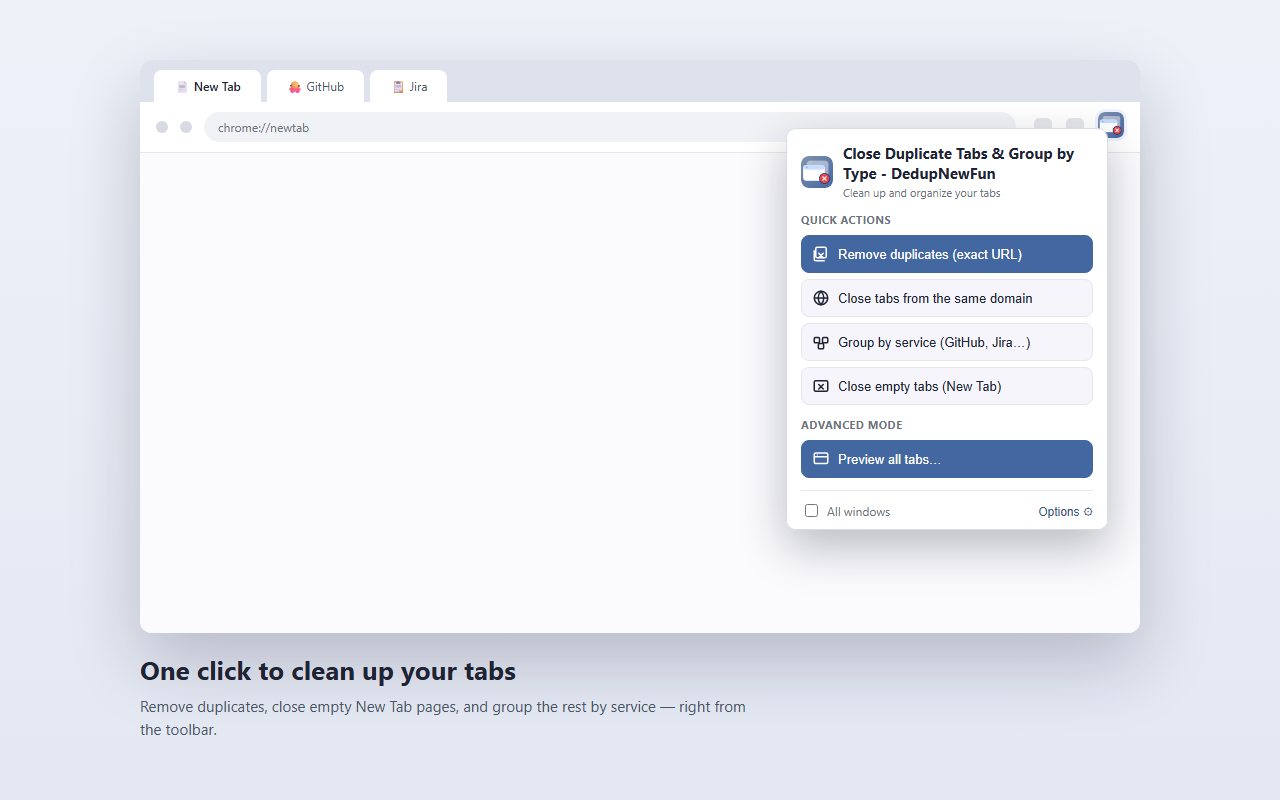
🗑️ Remove duplicate tabs
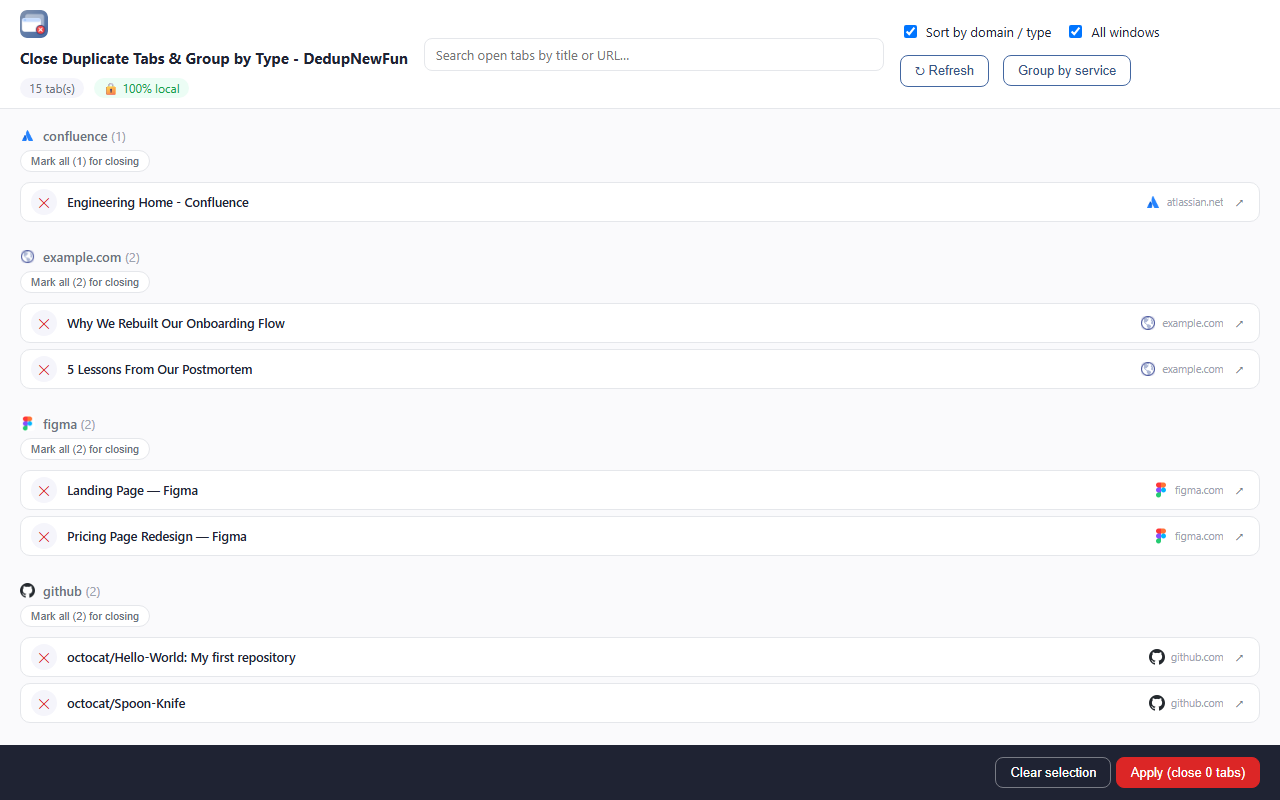
One click closes duplicates by exact URL, or by domain (keeping just one tab per site). The tab kept follows a clear priority: pinned, then active, then oldest. A tab is never closed if it looks like doing so would lose unsaved work — an open form, an ongoing edit, or a page asking to confirm before leaving.
🗂️ Close empty tabs
Clears out every blank “New Tab” page in a single click. Tabs you’ve deliberately pinned are left alone.
📁 Group by service or file type
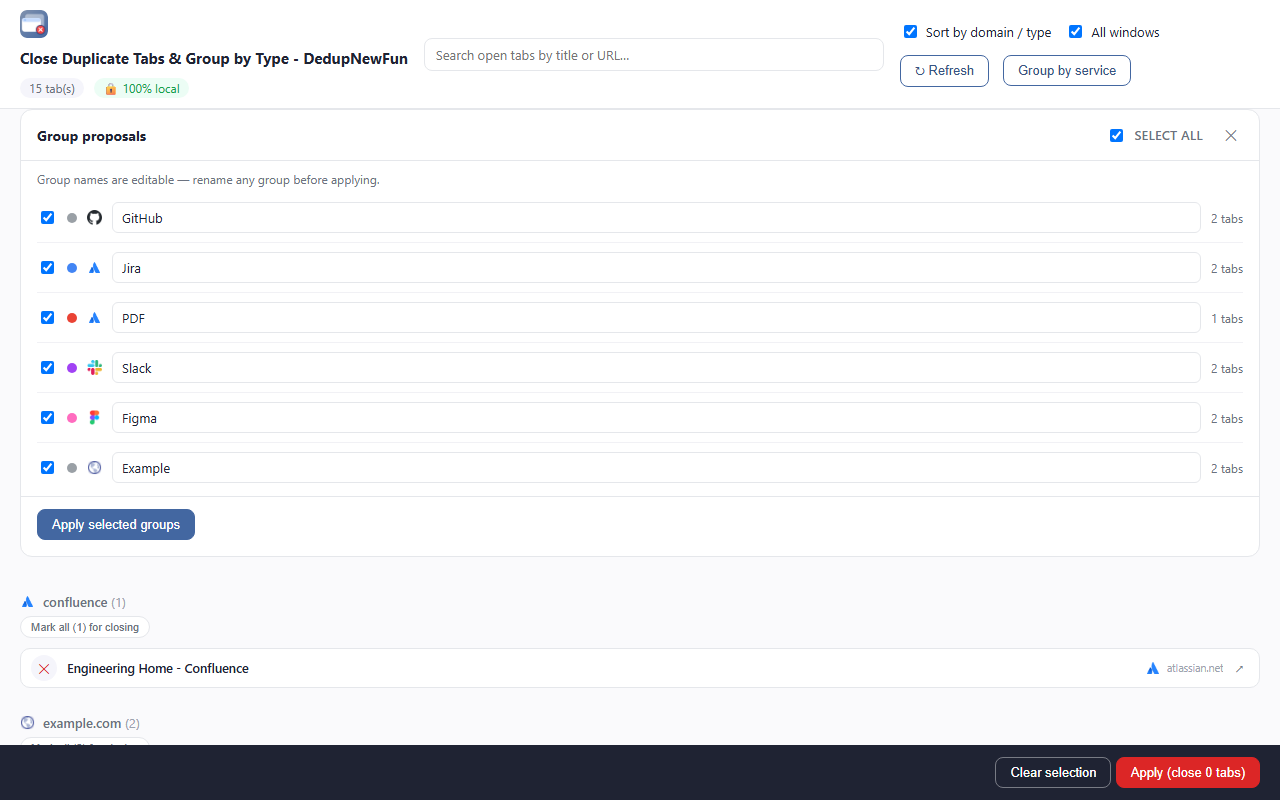
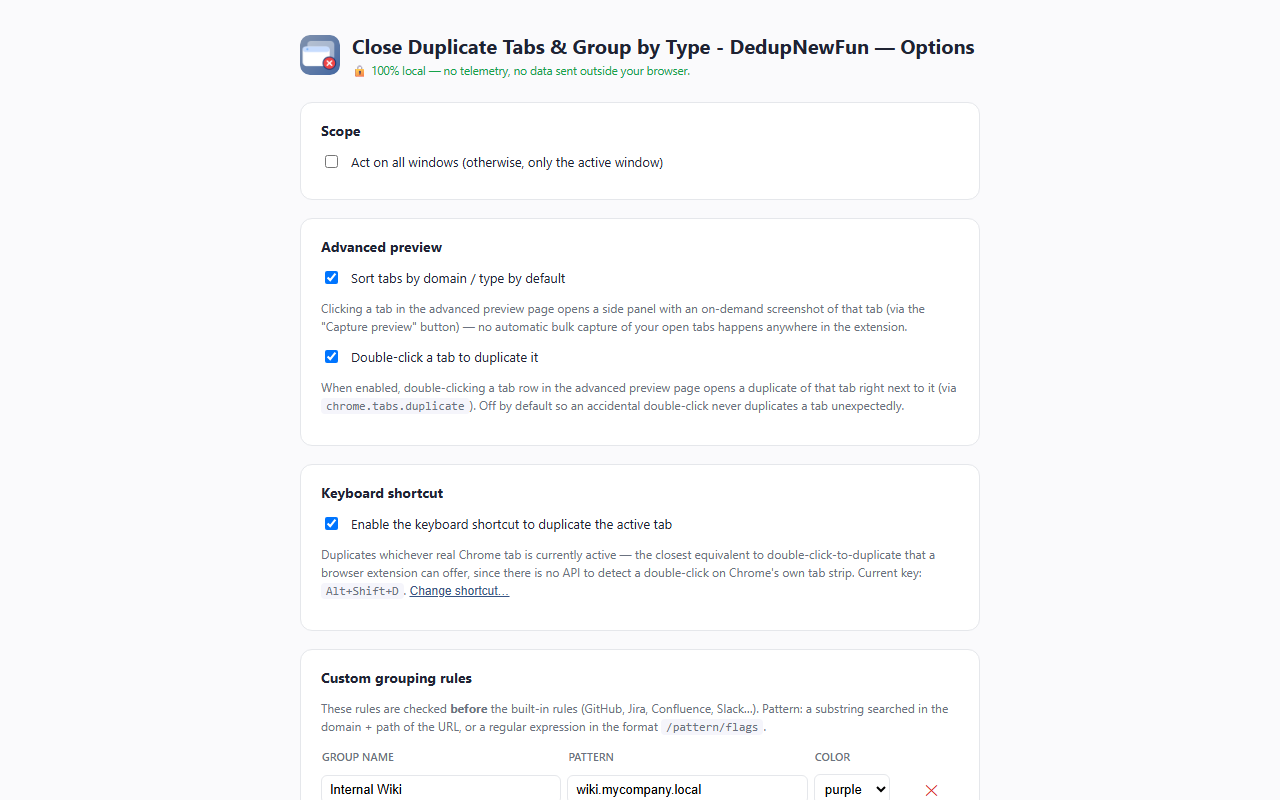
Creates native Chrome tab groups for GitHub, GitLab, Jira, Confluence, Slack, Notion, Google Docs/Drive, Figma, YouTube, Stack Overflow, Trello, Azure DevOps, Teams, Zoom, and more — plus a dedicated group for any open PDF, Word document, spreadsheet, or image, regardless of which site is serving it. Add your own custom rules (a text match or a regular expression) from the options page.
🔍 Advanced preview
A full-page list of every open tab — favicon, title, domain — sortable by domain/type and searchable. Click a tab for an on-demand screenshot (nothing is captured until you ask for it), mark tabs for closing as you go, then apply them all in one click.
⚡ Toolbar popup & right-click menu
Click the extension’s toolbar icon for instant access to every quick action, or use the same shortcuts from Chrome’s own right-click menu, wherever you’re browsing.
♻️ Duplicate a tab
Double-click a row in the advanced preview to duplicate that tab (off by default — turn it on in Options), or press a keyboard shortcut (default Alt+Shift+D) to duplicate whichever tab is currently active, anywhere in the browser.
🔒 Privacy, genuinely
No analytics, no telemetry, no tracking, no data collection of any kind. The extension makes no network request other than opening the pages already in your own tabs. Every setting stays on your own device.
Sponsored by TR-Softwares